
Recent posts
-
Small Device, Big AI – What NVIDIA’s Jetson Orin Nano Super Makes Possible
October 31, 2026
-
PHP Security in Practice: Vulnerabilities, Defenses, and Secure Development
October 27, 2026
-
UI/UX Design With AI Tools: 7 Powerful Trends Transforming Product Design in 2026
September 17, 2026
-
AI Lead Generation in 2026: How to Turn Your Website Into a 24/7 Sales System
September 7, 2026
-
Affordable Website Development Services-How to Build a Quality Website Without Overspending
August 4, 2026
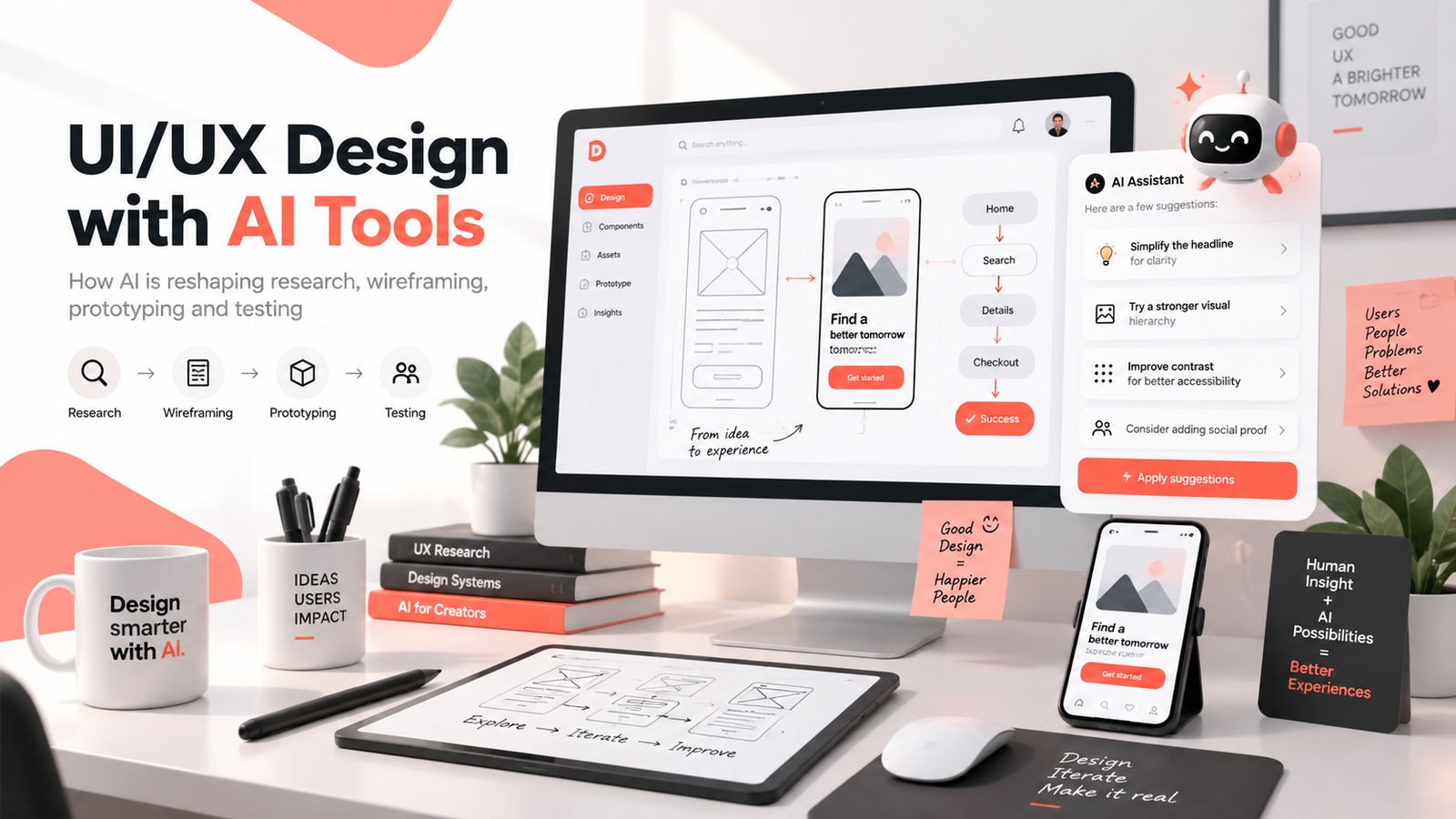
UI/UX Design with AI Tools is transforming how designers research users, create wireframes, build prototypes and test digital experiences in 2026. Instead of relying only on manual design processes, modern product teams can use artificial intelligence to analyze feedback, explore design ideas faster and identify usability problems before development begins.
The goal of UI/UX Design with AI Tools is not to replace human designers. It is to combine human creativity, empathy and product thinking with AI-assisted research, analysis and iteration. When this approach is used correctly, businesses can create websites, SaaS platforms and mobile applications that are easier to understand, easier to use and better aligned with real customer needs.
Table of Contents
- What Is UI/UX Design with AI Tools?
- Why UI/UX Design with AI Tools Matters in 2026
- How AI Is Changing UX Research
- How AI Speeds Up Wireframing
- How Designers Use AI for Usability Testing
- AI for Accessibility and Content Clarity
- AI-Powered Design Systems and Developer Handoff
- Should AI Replace UI/UX Designers?
- How Businesses Can Benefit From AI-Powered UI/UX Design
- Final Thoughts
What Is UI/UX Design with AI Tools?
UI/UX design with AI tools means using artificial intelligence to assist different stages of the user experience and interface design process. Instead of relying only on manual research, sketches, wireframes and testing reports, designers can use AI to organize information, generate alternatives and identify patterns more efficiently.
A UX researcher may use AI to summarize interviews and group repeated user concerns. A UI designer may use it to explore layout variations or improve visual hierarchy. A product designer may use AI to generate early wireframes from a written brief. A design team may also use AI to analyze usability feedback and highlight areas where users struggle.
The value is not simply that AI makes design faster. The bigger advantage is that AI can help teams make complex information easier to understand.
For example, imagine a product team receives 200 survey responses about a mobile application. Manually reading every response and identifying themes can take hours. AI can help organize those responses into topics such as navigation problems, onboarding confusion, missing features and accessibility concerns. The designer can then study those themes and decide which problems deserve priority.
The final decision still belongs to the designer.
Why UI/UX Design with AI Tools Matters in 2026
Modern digital products are becoming more complex. A typical application may include onboarding, account management, subscriptions, dashboards, notifications, search, checkout, settings and mobile-responsive interfaces.
At the same time, users expect these experiences to feel simple.
This is where UI/UX design with AI tools becomes valuable. AI can help design teams handle complexity without spending all their time on repetitive tasks.
Instead of starting every project from a blank canvas, designers can use AI to explore potential information architectures, user flows or wireframe structures. Instead of manually reviewing every usability test note, AI can help summarize repeated friction points. Instead of manually reviewing large interface systems for inconsistencies, AI can support design audits.
This allows designers to spend more time thinking about the questions that require human judgment: What does the user really need? Which problem should we solve first? Does this interface feel trustworthy? Is the experience accessible? Does the product support the business goal without making the user’s task harder?
The combination of human judgment and AI assistance can make design workflows both faster and more thoughtful.
How AI Is Changing UX Research
User research is one of the areas where AI can provide significant value.
UX research often includes interviews, surveys, open-ended feedback, usability observations and customer-support conversations. Collecting this information is only the beginning. Designers then need to identify patterns and translate those patterns into actionable product decisions.
AI can help organize this process.
Imagine a designer conducting 15 interviews for a new productivity application. Some participants say the dashboard is overwhelming. Others say they cannot find important features. Several users mention that they are unsure what they should do after signing in.
Instead of treating these comments as isolated observations, AI can help group them into broader themes such as information overload, navigation problems and unclear onboarding.
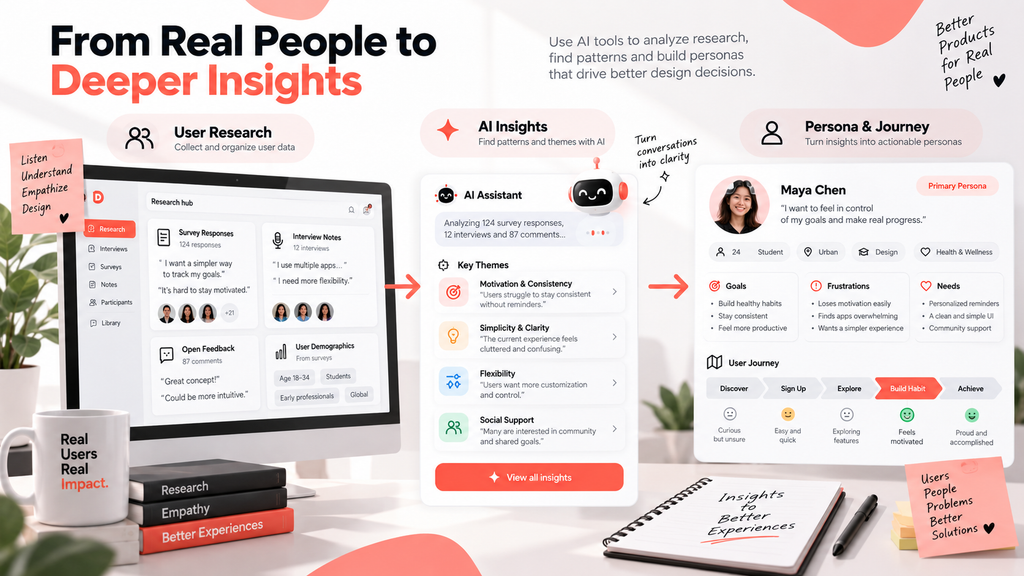
The designer can then use those insights to create personas, customer journeys and design priorities.
Example: From User Research to Design Insight
A practical workflow might look like this:
User Interviews → AI Analysis → Repeated Patterns → UX Insights → Persona/Journey → Design Decisions
The designer still needs to verify whether AI has interpreted the data correctly. AI should not replace direct contact with users, because context, emotion and human behavior are often more complex than a text summary can capture.
For modern product teams, UI/UX Design with AI Tools can reduce the time required to organize research while still keeping the final decisions in the hands of experienced designers.
How UI/UX Design with AI Tools Speeds Up Wireframing
The early stage of a design project often begins with incomplete information. A client may provide a rough idea, business goal or list of requirements rather than a complete product structure.
Designers traditionally convert this information into sketches, site maps and wireframes.
AI can help speed up this process.
A designer might enter a project brief describing a SaaS landing page for project management software. The brief could explain the audience, key product benefits, required sections and primary conversion goal.
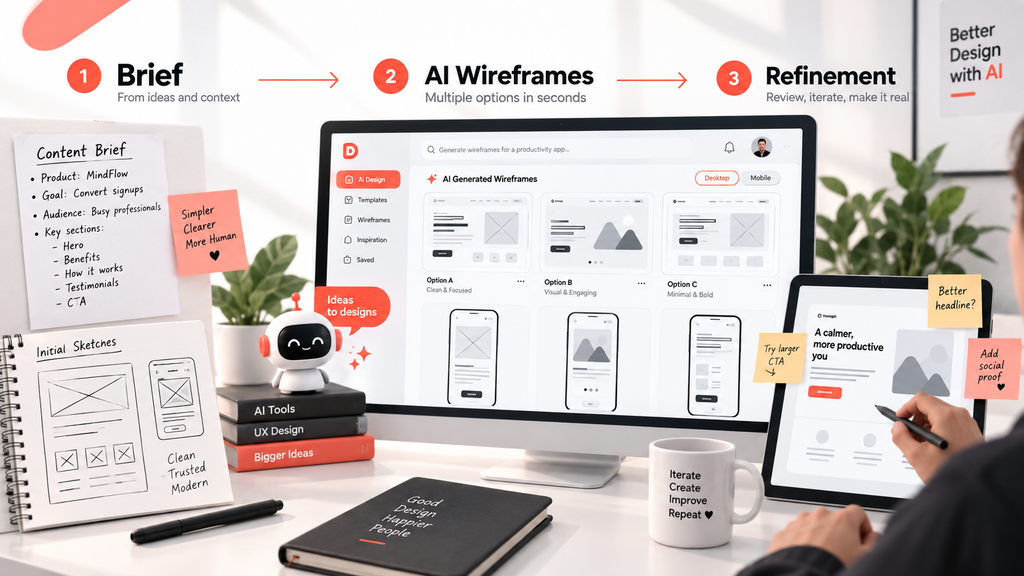
An AI-assisted design workflow can then suggest several possible page structures.
One option might prioritize a simple headline, product screenshot and CTA. Another might introduce customer proof earlier. A third might emphasize product functionality.
A structured approach to UI/UX Design with AI Tools can also help designers compare several wireframe directions before committing to a final interface.
Example: How an AI-Assisted Wireframe Workflow Works
Project Brief → AI Generates Layout Options → Designer Reviews → UX Refinement → Prototype
This process is especially useful during exploration because it encourages designers to compare alternatives.
AI-generated wireframes should not simply be accepted as finished designs. Designers still need to assess visual hierarchy, content priority, conversion logic, accessibility and the overall user journey.
This is why the best UI/UX design with AI tools workflow treats AI as an idea-generation partner rather than an automatic design replacement.
How Designers Use AI for Usability Testing
Usability testing helps designers understand what happens when real users interact with a product.
One of the strongest applications of UI/UX Design with AI Tools is usability testing because AI can help organize observations and identify repeated friction points.
A designer might create a prototype and ask users to complete a specific task. For example, the designer could ask participants to create an account, find a feature or complete a purchase.
During the test, different behaviors may appear.
One participant might complete the task easily. Another might pause because the CTA is unclear. Another might click the wrong menu item. Someone else might abandon the process completely.
This creates valuable data, but analyzing several sessions manually can take time.
AI can help identify recurring patterns.
For example, an AI-assisted analysis might show that several users hesitate on the same onboarding screen, that a navigation item receives little attention or that users repeatedly misunderstand a particular label.
A designer can then prioritize improvements.
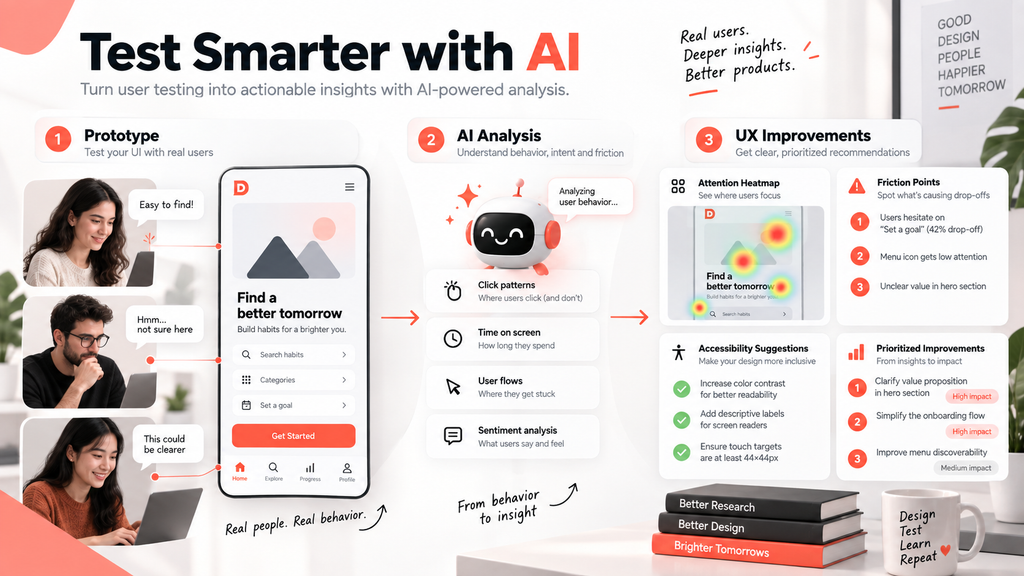
Example: AI-Assisted UX Testing
Consider a mobile productivity app with a “Set a Goal” button.
Five users test the prototype. Three hesitate before clicking the button. Two say they are unsure what will happen next. One completely skips the feature.
The workflow could look like this:
Prototype → Real User Testing → Behavior Data → AI Pattern Analysis → Friction Points → Design Improvements → Retest
AI may highlight that the CTA lacks clarity or that the preceding content does not explain why setting a goal is useful.
The designer can then create a clearer CTA, improve the supporting copy and test the new version.
This is where UI/UX design with AI tools becomes particularly powerful. It helps connect observation with iteration rather than leaving usability data buried inside notes.
Human testing should still involve real users. Guidance from the Nielsen Norman Group on usability testing provides a useful foundation for understanding how observation and task-based testing contribute to UX decisions.
UI/UX Design with AI Tools for Accessibility and Content Clarity
Good user experience is influenced by hundreds of small interface decisions.
Button labels, typography, contrast, spacing, form fields, error messages and content hierarchy can all determine whether a user understands what to do.
AI-powered design assistants can help identify some of these issues.
For example, AI may detect that a section contains too much text, that several buttons use inconsistent styles or that an important CTA lacks visual emphasis. It can also suggest simpler wording for interface messages or recommend clearer labels.
Accessibility is another important area.
Designers can use AI-supported workflows to identify potential contrast problems, missing labels or touch targets that may be too small. However, accessibility should never depend only on automated AI analysis.
Design teams should continue using established accessibility standards such as the Web Content Accessibility Guidelines (WCAG) when reviewing interfaces.
AI may help identify possible issues, but designers and developers should validate the final implementation.
When accessibility, content clarity and interface design are considered together, the result is usually a more understandable experience for everyone.
AI-Powered Design Systems and Developer Handoff
One of the biggest challenges in digital product development happens after the design is approved.
Designers need to communicate how components behave, developers need accurate specifications and teams need to maintain consistency across multiple pages or screens.
AI can help make this workflow more connected.
A designer may use AI to organize component documentation, describe interaction states or identify inconsistencies between screens. AI can also help compare new designs with an existing design system and identify elements that do not follow established patterns.
For developers, clearer documentation reduces uncertainty.
The workflow becomes:
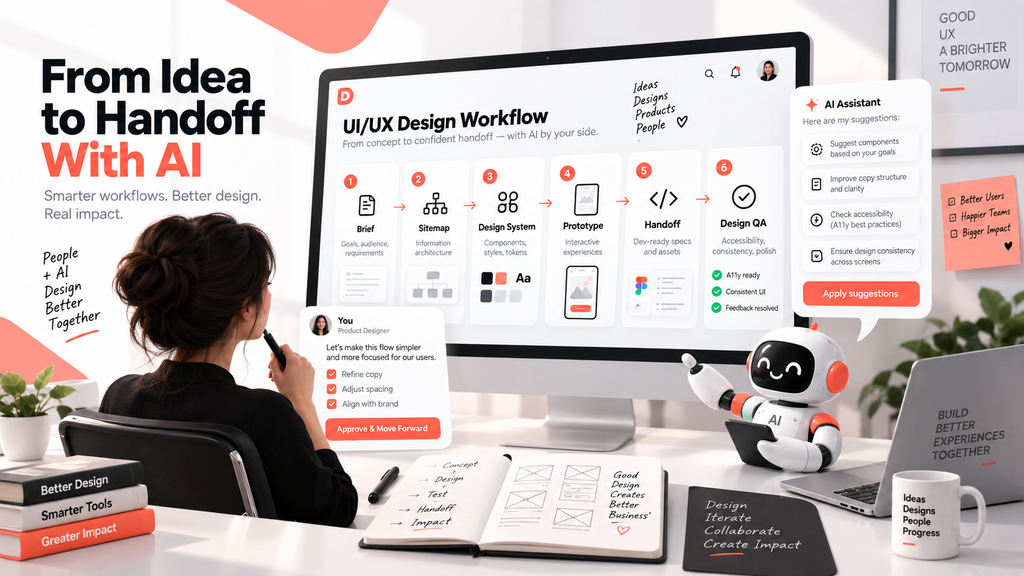
Research → Wireframe → UI Design → Prototype → Testing → Design System → Developer Handoff → QA
When each stage is connected, design decisions are less likely to become lost during implementation.
For companies building new websites, SaaS platforms or applications, combining good UX thinking with professional web development services can help ensure that the final product works as well as it looks.
At Codmash, the goal is to connect design decisions with development rather than treating UI/UX as a separate visual layer.
Should AI Replace UI/UX Designers?
AI should support designers rather than replace them.
Design is not simply the process of arranging components on a screen. Good UX requires understanding users, business objectives, technical limitations and emotional context.
AI can suggest that a CTA should be larger, but a designer needs to understand whether the CTA is actually the most important action.
AI can summarize user interviews, but a researcher needs to decide whether those patterns accurately represent the users.
AI can generate ten wireframes, but a designer needs to decide which structure fits the product strategy.
Human judgment becomes even more important when AI makes generation easier.
The challenge in the future may not be producing more designs. The challenge will be deciding which designs deserve to exist.
That is why successful UI/UX design with AI tools combines automation with human-centered design principles.
How Businesses Can Benefit From AI-Powered UI/UX Design
Businesses adopting UI/UX Design with AI Tools should begin with a measurable user problem rather than selecting an AI platform first.
For example, a SaaS company may discover that users are abandoning onboarding. An eCommerce company may notice that mobile visitors reach product pages but do not complete checkout. A service company may receive website traffic but very few enquiries.
In each case, the first question should be: why are users struggling?
The team can then use research, analytics and usability testing to understand the problem. AI can support the analysis and design process, but the solution should be based on evidence.
A SaaS team might redesign onboarding after AI-assisted analysis identifies repeated confusion. An online store might simplify checkout after user testing reveals unnecessary steps. A service website might improve its navigation and enquiry journey after analyzing visitor behavior.
This problem-first approach produces stronger outcomes than adding AI simply because it is popular.
Businesses planning a new website, web application or digital platform can explore Codmash services for UI/UX, development and AI-supported digital solutions. If you already have a product and want to improve its user experience, you can also contact the Codmash team to discuss your current design challenges.
Final Thoughts on UI/UX Design With AI Tools
The future of UI/UX Design with AI Tools is about combining faster analysis with stronger human-centered design decisions.
AI can help teams understand large amounts of user feedback, generate early design options, identify usability patterns and improve workflow efficiency. Human designers remain responsible for context, empathy, creativity, product strategy and final judgment.
Businesses that combine these strengths can move faster without sacrificing the quality of the user experience.
The most valuable AI-powered design workflow is therefore not one where AI makes every decision. It is one where AI handles repetitive complexity while designers focus on the problems that require deeper thinking.
As digital products become more sophisticated, successful teams will increasingly combine user research, human-centered design and intelligent automation. That combination can produce websites, applications and platforms that are not simply attractive, but easier to understand, easier to use and better aligned with real business goals.
Build Better Digital Experiences With Codmash
Whether you are designing a new website, SaaS platform, mobile application or improving an existing product, Codmash can help combine user-centered UI/UX design, development and AI-assisted workflows to create a stronger digital experience.
Instead of designing only for appearance, we focus on how users navigate, understand, interact and convert.

AI Tools for UI/UX Design in 2026: 8 Powerful Ways to Design Faster and Smarter
UI/UX design with AI tools refers to the use of artificial intelligence to support research, wireframing, prototyping, testing, accessibility review and workflow optimization in product design. AI helps designers work faster and uncover clearer insights, while human designers still guide the final decisions.
AI cannot replace skilled UI/UX designers because good design depends on empathy, business understanding, creativity and human judgment. AI can assist with repetitive tasks, idea generation and data organization, but designers are still needed to interpret user needs and create meaningful experiences.
AI helps in UX research by organizing qualitative data, summarizing interviews, identifying patterns, clustering feedback and surfacing themes that influence design decisions. This helps teams move faster from research collection to actionable insight.
AI can analyze usability testing data by identifying repeated friction points, highlighting drop-off patterns and generating prioritized recommendations for UX improvement. This makes testing results easier to interpret and act upon.
Businesses benefit because AI can speed up design workflows, improve product clarity, strengthen testing insights, support better accessibility and help teams build more user-centered digital products. This often leads to better engagement, conversion and retention outcomes.